Batch Watermark
Apply text or logo watermarks to selected PDFs with tiling, opacity, rotation and page range control.
OFFLINE WINDOWS PDF TOOLKIT
Batch watermark, convert, compress, merge and split PDFs with a focused desktop tool for everyday document work.
FEATURES
Apply text or logo watermarks to selected PDFs with tiling, opacity, rotation and page range control.
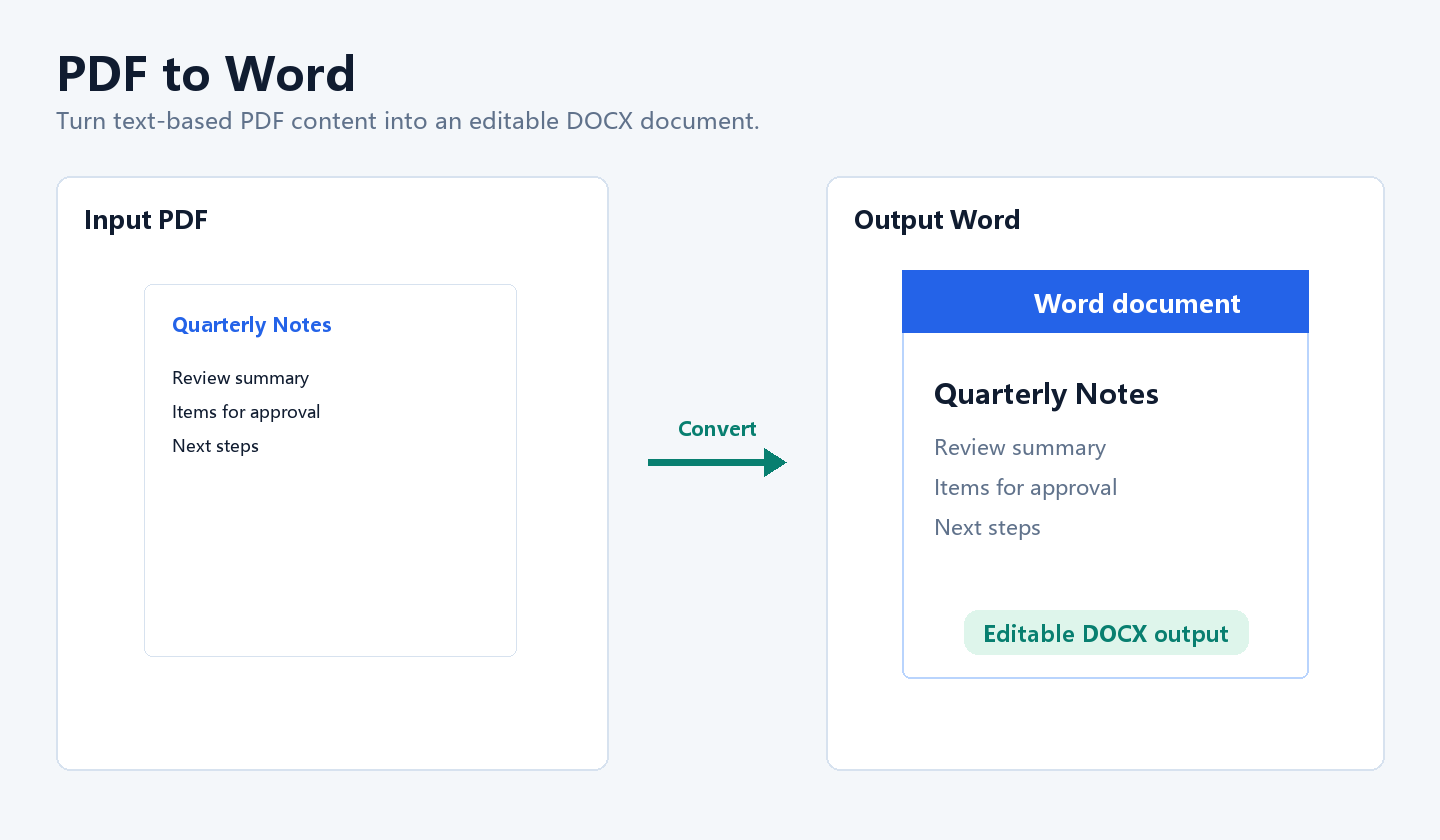
Convert text-based PDF files into editable DOCX documents for copying, revising and sharing.
Export clear page images or reduce file size with practical quality presets.
Merge, split and combine image files into PDFs through a visible batch file list.
OUTPUT EXAMPLES
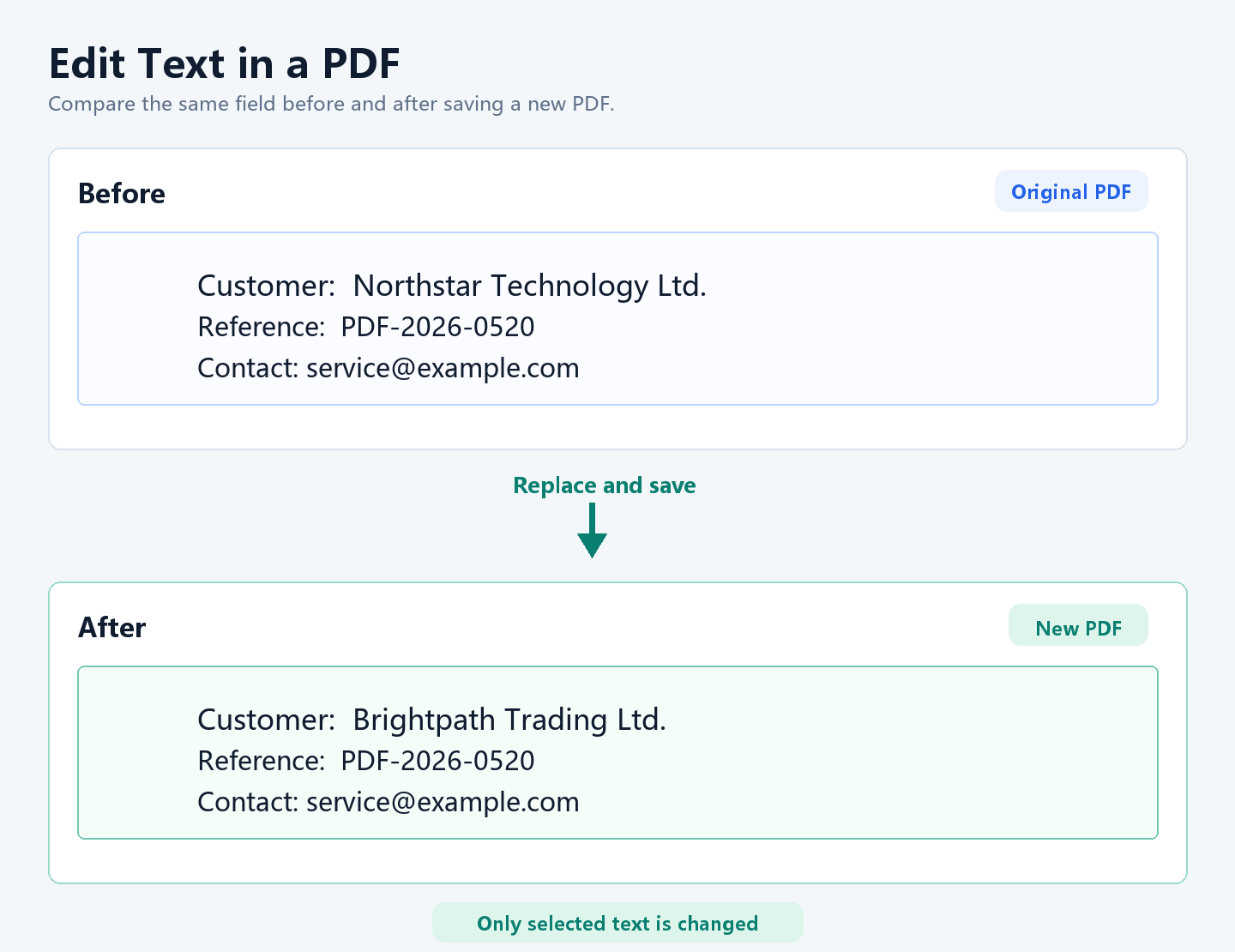
Each example distinguishes source files from generated files, with large before-and-after results you can inspect directly.
01 / LIGHT EDIT
Select a short field and save a new PDF, suitable for correcting a name, company, date or short note.
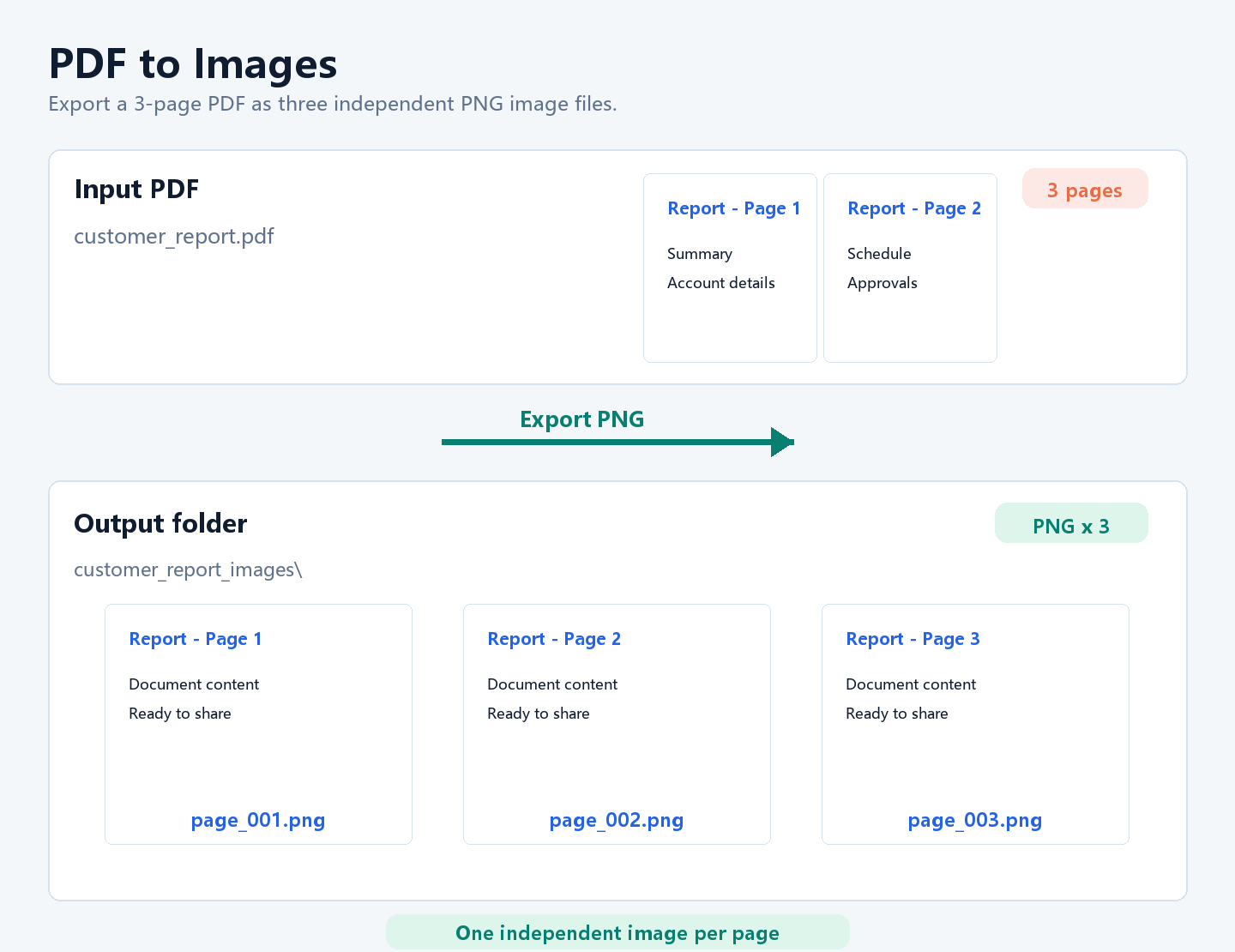
02 / EXPORT
A multi-page PDF becomes individual PNG files for uploads, single-page sharing and archiving.
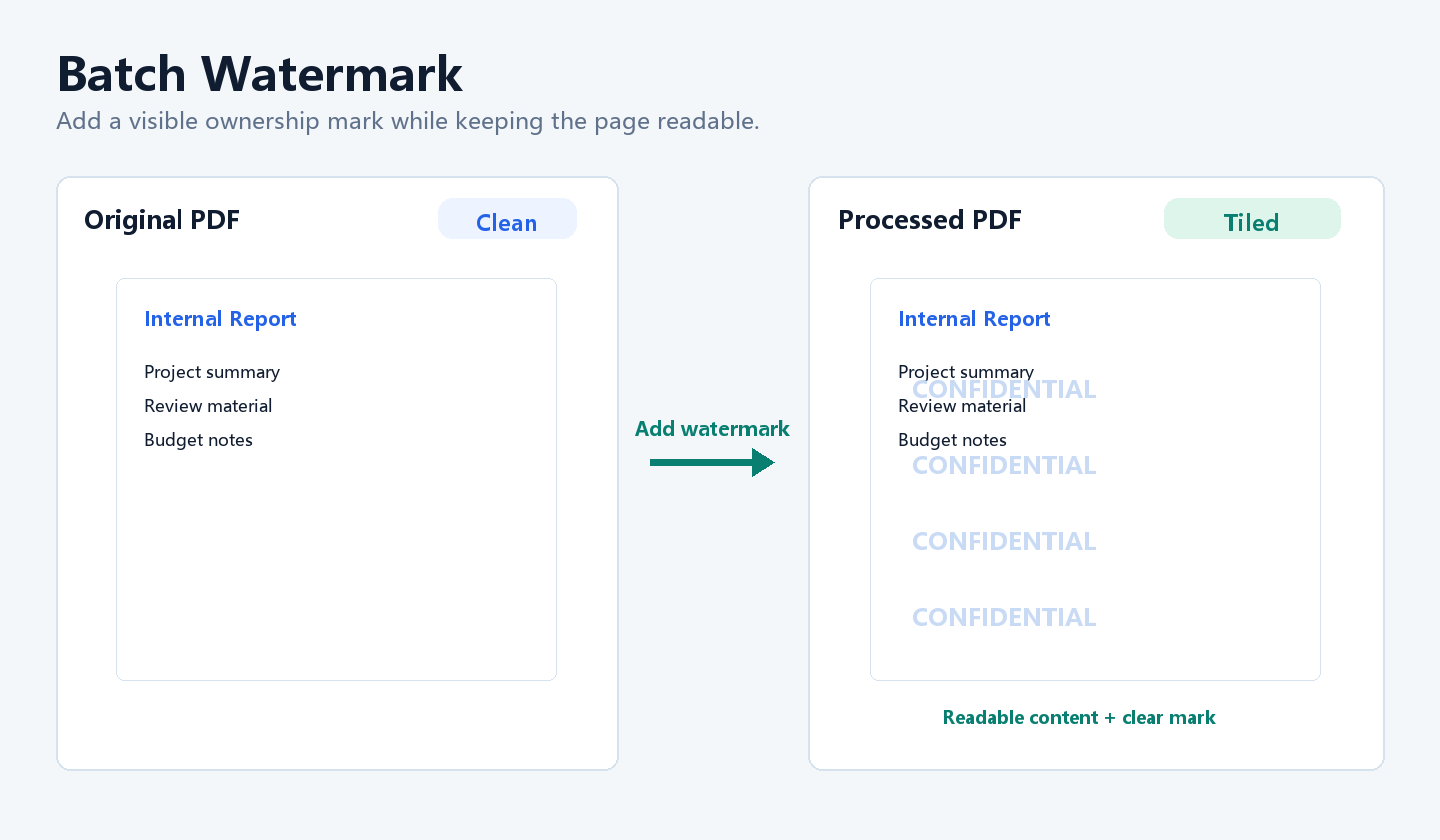
03 / PROTECTION
Apply a visible ownership mark to material sent for review while keeping the document readable.
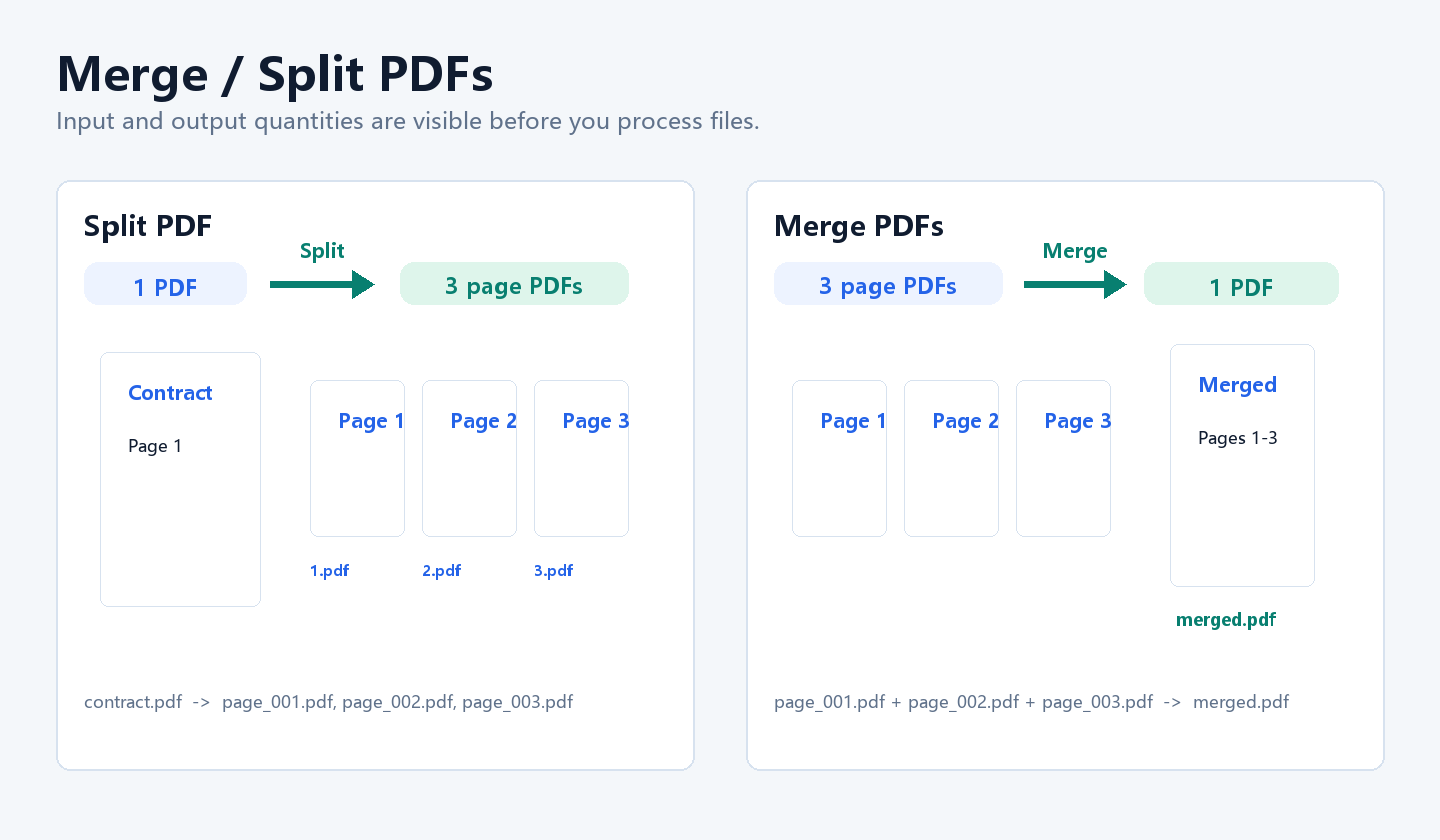
04 / ORGANIZE
Separate a multi-page document into individual PDFs, or combine page files for delivery.
05 / EDITABLE OUTPUT
Convert ordinary text PDFs into `.docx` files for reuse. Complex scans or unusual layouts should be reviewed after export.
WORKFLOW
Add one or more files.
Select only the files you need.
Choose a tool and output folder.
Check the generated result locally.
WINDOWS DESKTOP LICENSE
$19
One-time Windows 64-bit license. Gumroad automatically delivers your activation key.
Included
FAQ
No. Watermarking, conversion, compression and page tasks run locally on your Windows computer.
No. Light text replacement and additions suit short corrections. Complex layouts, special fonts and scanned PDFs may need manual cleanup.
The current release supports Windows 10 and Windows 11 on 64-bit systems.
After purchase, you receive a Windows installer download and an activation key.